Zero configuration
Works out of the box with optimal sorting rules. Just install, activate, and your <head> is instantly optimized.
The Capo WordPress Plugin brings the power of capo.js directly into WordPress. It automatically reorganizes the <head> of your WordPress pages on the fly, eliminating rendering bottlenecks and optimizing resource loading without touching theme templates.
capo.zip from the latest GitHub releases. (Direct 1-click installation from the WordPress Plugin Directory will be available upon directory approval).capo.zip file and click Install Now.Run the following commands in your WordPress document root:
# Clone the repository into pluginsgit clone https://github.com/rviscomi/capo-wp.git wp-content/plugins/capo
# Activate the pluginwp plugin activate capo
# Flush page cache (example for WP Super Cache)wp super-cache flush
If you manage your WordPress site with Composer:
composer require rviscomi/capo-wpwp plugin activate capo<head> optimizationOn a standard WordPress site, wp_head() is populated dynamically by:
Each plugin and theme outputs tags according to its own hook priority, which frequently results in:
<title> tag.Capo for WordPress solves this automatically. By intercepting the rendered response using output buffering, Capo parses and sorts the <head> elements in strict adherence to the Capo priority spectrum before sending HTML to the client or page cache.
<head>Without Capo, elements in <head> are output in arbitrary order. Critical directives, titles, and preconnects are scattered after external stylesheets and scripts:

<head>With Capo active, the actual <head> order matches the optimal sorted order 1:1:

Zero configuration
Works out of the box with optimal sorting rules. Just install, activate, and your <head> is instantly optimized.
Deterministic stable sort
Equal-weight elements retain their exact relative order, preserving standard cascade precedence and same-tier script execution sequence.
Full cache compatibility
Integrates seamlessly with WP Super Cache, WP Rocket, W3 Total Cache, and LiteSpeed Cache. Cached pages serve pre-sorted HTML with 0ms runtime overhead.
Site Health integration
Includes automated diagnostic checks in Tools > Site Health with <head> hygiene warnings and element breakdowns.
Live toolbar diagnostics
Displays real-time execution timing and validation warnings in the WordPress Admin Toolbar for logged-in administrators.
Instant bypass mode
Test before-and-after performance instantly by appending ?capo=off to any frontend URL.
Capo intercepts the rendered page output using standard PHP output buffering. It parses <head> tags into discrete tokens, assigns each element a priority weight according to the Capo rules, and outputs them in optimal sequence before delivering HTML to the browser (or your page caching plugin).
Capo includes built-in diagnostics to help you monitor and verify <head> health:
When logged in as an administrator, Capo adds a live status node to the WordPress Admin Toolbar:
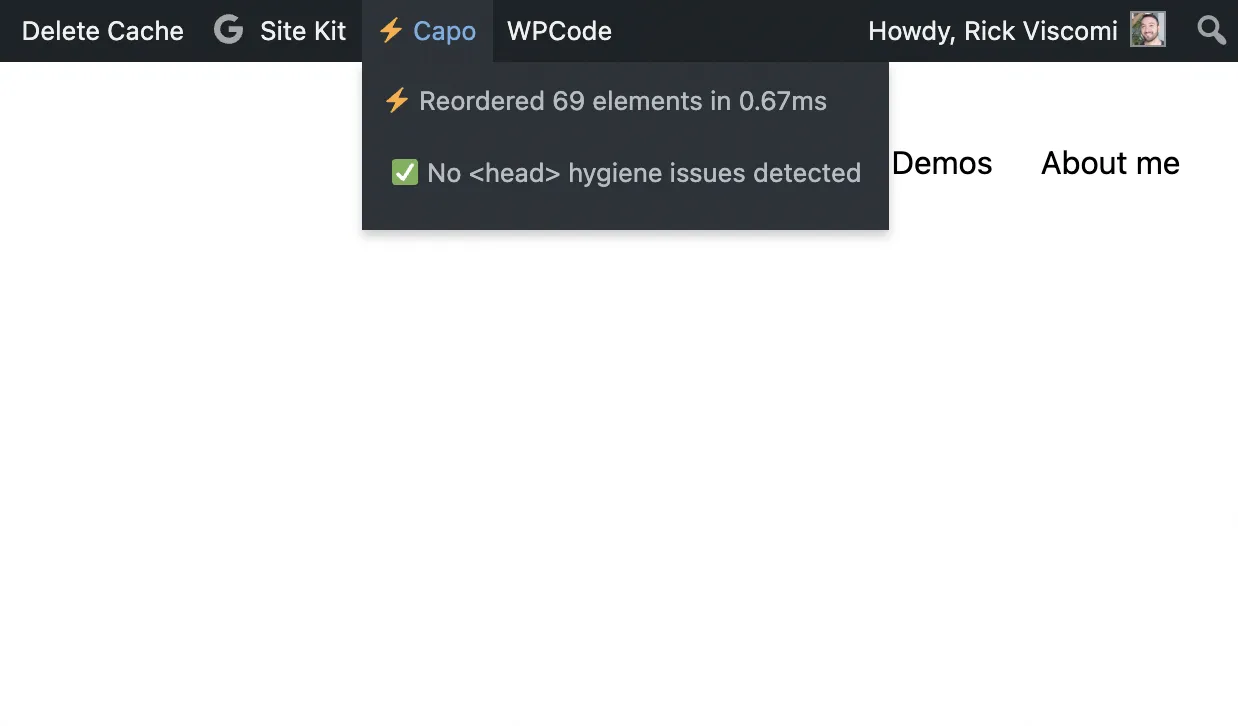
⚡ Reordered 69 elements in 0.6ms).<head> hygiene issues with a scrollable dropdown detailing each warning.Navigate to Tools > Site Health > Status. Capo registers a diagnostic test under Performance:
<head> Element Breakdown: Shows total elements processed and distribution across weights.<meta name="viewport"><title> tags<body> instead of <head>To compare your site’s HTML before and after Capo without deactivating the plugin, append ?capo=off to any frontend URL:
https://example.com/https://example.com/?capo=offYou can test both URLs with the Capo Browser Extension or in the Capo.js Web Demo.
Settings are accessible from Settings > Capo in the WordPress admin:
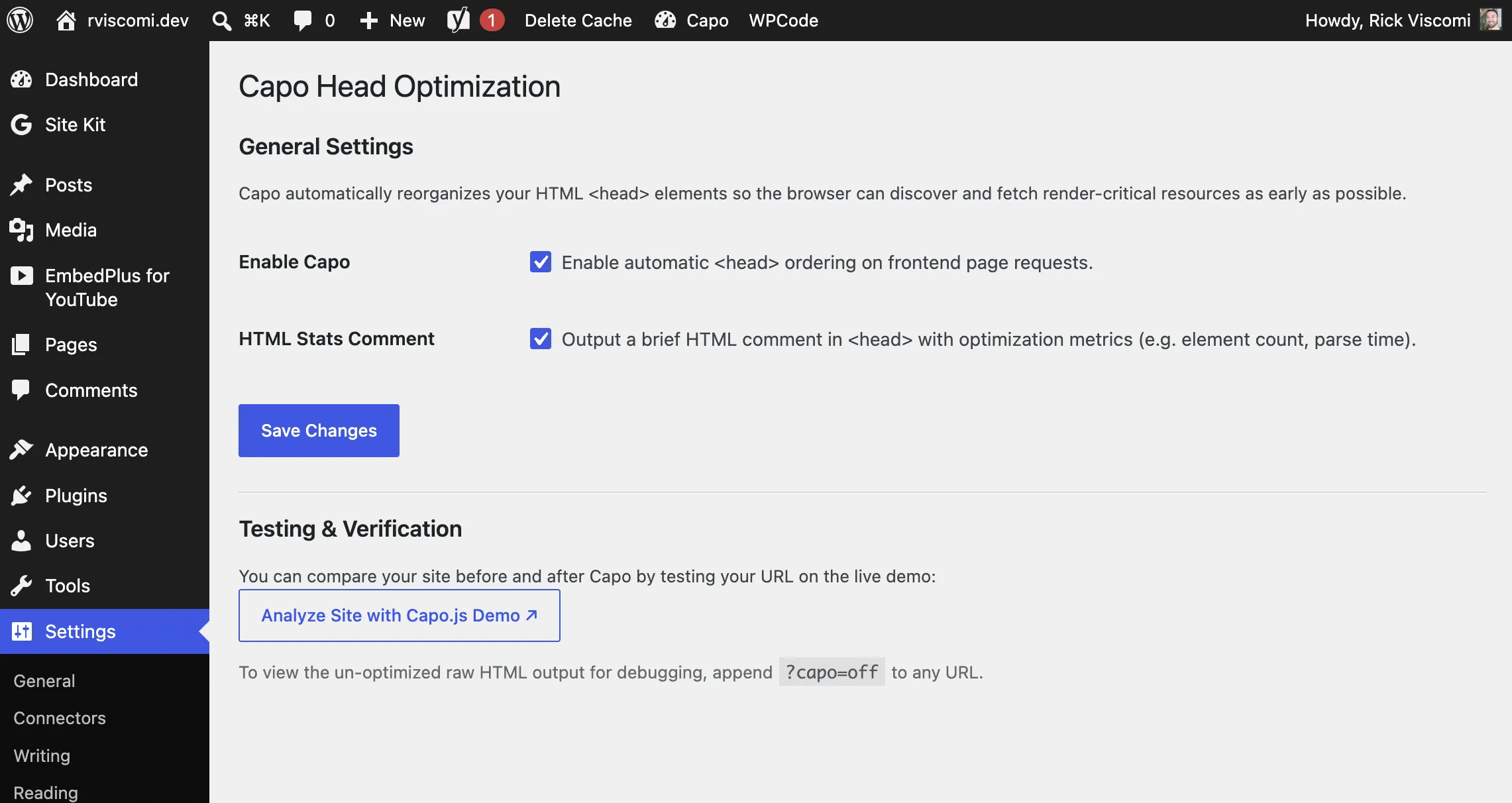
<head> reordering on or off.<head> showing execution metrics (e.g. <!-- Capo Head Optimizer: Reordered 24 elements in 0.8ms -->).?capo=off.No. Capo uses a deterministic stable sort within each priority tier:
Capo groups elements into their optimal critical rendering path tiers (such as discovering critical meta directives and preconnects first, and preventing CSSOM parser stalls) while preserving the internal dependency order of your styles and scripts.
Negligible. The PHP tokenizer runs in under 1ms on average. Furthermore, when used alongside a page caching plugin, the reordered HTML is cached on disk/memory, resulting in 0ms overhead for cached page requests.
Yes. Capo runs during output buffering before page cache plugins capture the final HTML output. Your cache plugin stores the already-optimized <head>.
The WordPress plugin repository maintains continuous 1:1 test parity with @rviscomi/capo.js. When rules or validation checks are updated in core capo.js, they are synced into the PHP engine.